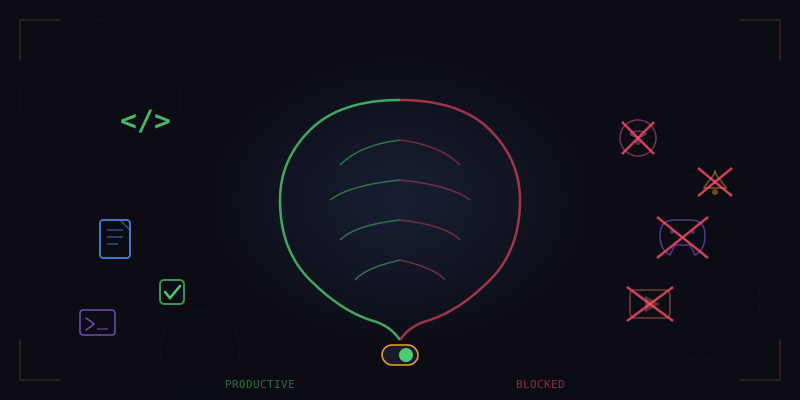
Every productivity tool makes the same mistake. They treat websites as binary: productive or distracting. Block YouTube, block Reddit, block Twitter. The problem is obvious to anyone who actually works on the internet. YouTube hosts tutorials that are essential for learning. Reddit has technical communities that solve real engineering problems. Twitter is where industry news breaks. The domain is not the signal. The content is.
Tensor's Smart Focus system understands this. Instead of maintaining a crude blocklist, it classifies the actual content you are consuming and compares it against your current work context to determine whether what you are doing is productive, neutral, or a distraction. The result is a focus system that never blocks a legitimate research session but gently nudges you when you have been watching cat compilations for twenty minutes.
Content-Level Classification
When you visit a page, Smart Focus analyzes the page content, not just the URL. On YouTube, it reads the video title, description, channel name, category, and tags to determine the content type. A video titled "React Server Components Deep Dive" from a developer education channel is classified differently than "Top 10 Fails of the Week" from a comedy channel, even though both live on youtube.com.
The classification engine uses a lightweight text classifier trained on millions of web pages across dozens of content categories. These categories are not simply "work" and "play." The system recognizes nuanced types including:
- Technical learning — tutorials, documentation, code walkthroughs, conference talks
- Professional communication — email, Slack, project management tools
- Research — academic papers, industry reports, competitor analysis
- Creative work — design tools, writing platforms, media editing
- News and industry updates — tech news, market updates, relevant journalism
- Social and entertainment — social media feeds, gaming content, memes
- Shopping and commerce — product browsing, deal hunting, wish list management
- Health and wellness — exercise guides, meditation, health information
The classification happens on-device in under 50 milliseconds and does not send any browsing data externally. Your browsing patterns are yours alone.
Context-Aware Productivity Scoring
Content classification alone is not enough. Whether something is productive depends on what you are supposed to be doing. A developer debugging a CSS issue might find a design inspiration video genuinely useful. A marketer preparing a campaign might need to spend time on social media to study competitors. Context matters.
Smart Focus builds a work context model from multiple signals. It looks at your currently open tabs to understand what project you might be working on. It checks your calendar integration to see if you are in a focus block. It considers the time of day and your historical patterns. And critically, it lets you explicitly declare focus sessions where you state what you are working on.
// Focus session context
{
  session: "React migration project",
  relevantTopics: ["react", "javascript", "typescript", "nextjs", "webpack"],
  startedAt: "2026-02-20T09:00:00",
  duration: "2h",
  strictness: "moderate"
}
With this context, Smart Focus can make nuanced decisions. A Stack Overflow page about React hooks is clearly productive. A YouTube video about TypeScript patterns is productive. A YouTube video about guitar lessons is a distraction, even though YouTube itself was not blocked. A Reddit thread in r/reactjs is productive. A Reddit thread in r/funny is not.
Learning From Your Patterns
The system does not rely solely on its pre-trained classifier. Over time, Smart Focus learns your personal definition of productive work. It observes which content you engage with during your most focused periods, identified by long uninterrupted sessions with minimal tab switching, and which content you tend to reach for when your attention is fragmenting.
This personalization happens through a simple reinforcement loop. When Smart Focus flags something as a distraction and you dismiss the alert, it adjusts the score for that content category. When it stays silent and you later tell it that you wasted an hour, it learns from that too. After a few weeks of use, the system has a remarkably accurate model of what "productive" means for you specifically.
The learning model stores patterns like time-of-day preferences, sequential behavior (you always check news after finishing a deep work session, which is a healthy break pattern), and project-specific research trails. If you spend three days deep in machine learning research, Smart Focus temporarily widens the "productive" umbrella to include ML-adjacent content that it might normally flag.
Intervention Design: Nudge, Don't Block
One of the strongest opinions baked into Smart Focus is that blocking is counterproductive. Hard blocking creates resentment, encourages workarounds (hello, phone browser), and does not address the underlying attention issue. Instead, Smart Focus uses a graduated intervention model:
- Awareness — after 5 minutes on low-productivity content, a subtle timer appears in the corner showing how long you have been there. No judgment, just information.
- Gentle nudge — after 10 minutes, a small notification suggests returning to your work context, with a one-click link back to your most recent productive tab.
- Intentional check — after 20 minutes, a modal asks whether you want to continue or return to work. This requires a deliberate choice, breaking the autopilot loop that characterizes most distraction spirals.
- Session summary — if you choose to continue, Smart Focus logs it without further interruption. At the end of the day, it shows you a breakdown of how your time was spent, presented as neutral data rather than a judgment.
Each intervention can be customized or disabled entirely. Some users want aggressive nudges during morning focus hours and no nudges in the evening. Others want nudges only during declared focus sessions. The system adapts to your preference because the goal is not to police your behavior but to support the focus patterns you want to maintain.
The Dashboard: Understanding Your Attention
Smart Focus includes a daily and weekly dashboard that visualizes your browsing patterns. The dashboard shows time spent by category, focus session success rates, your most common distraction triggers, and trend lines over weeks. It also highlights your peak productivity hours and suggests when to schedule focus sessions based on your historical data.
One of the most popular features is the context-switch tracker. Research consistently shows that every context switch, moving from a code editor to email to Slack and back, costs minutes of recovery time. Smart Focus tracks these switches and shows you how fragmented your attention was throughout the day. Many users report that simply seeing this data changes their behavior more than any blocking tool ever did.
// Daily focus report
{
  totalBrowsingTime: "6h 42m",
  productiveTime: "4h 18m",
  neutralTime: "1h 05m",
  distractedTime: "1h 19m",
  contextSwitches: 47,
  longestFocusStreak: "1h 32m",
  peakHours: ["9:00-11:00", "14:00-15:30"],
  topDistraction: "news sites (38m)"
}
Privacy by Architecture
Smart Focus processes everything locally. Your browsing data, classification results, focus patterns, and productivity scores never leave your machine. There are no analytics calls, no cloud dashboards, and no way for anyone, including us, to see your browsing history. The classification model runs in a sandboxed Web Worker, and all data is stored in IndexedDB within the extension's isolated storage.
You can export your data for personal analysis or delete it entirely at any time. There is no account required, no sync service, and no remote backup. This is a deliberate architectural choice, not just a privacy feature. We believe that a tool that monitors your attention must be trustworthy by design, and trust requires that the data stays with you.
Smart Focus is not about controlling your behavior. It is about making your behavior visible to you, so you can make intentional choices about how you spend your attention. Sometimes YouTube is work. Tensor knows the difference.
Take Control of Your Attention
Download Tensor and discover how Smart Focus transforms your productivity.
Download Tensor