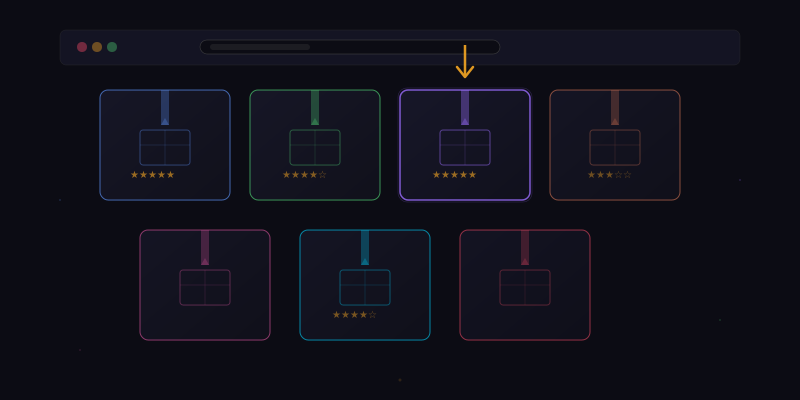
The most powerful feature of any software platform is not something the developers build. It is what the users build on top of it. Photoshop actions, Vim plugins, Zapier integrations, Chrome extensions — the best tools become platforms, and the best platforms grow ecosystems. With the launch of the Tensor Workflow Marketplace, we are taking the first step toward making Tensor not just a tool but a platform where users build and share browser automations with each other.
The Workflow Marketplace is a curated, community-driven library of workflow templates that any Tensor user can install, customize, and run. Think of it as an app store for browser automations, where every app is free and every user is a potential developer.
What Is a Workflow Package?
A workflow package is a self-contained bundle that includes everything needed to run a particular automation. Each package contains a workflow definition (the steps, conditions, and logic), a manifest file (metadata, description, author info, required permissions), variable declarations (configurable parameters the user can customize), and optional assets like scripts or template files.
Here is what a simplified workflow manifest looks like:
{
  "name": "LinkedIn Job Auto-Apply",
  "version": "1.2.0",
  "author": "tensoruser42",
  "description": "Automatically applies to LinkedIn jobs
                  matching your criteria using your
                  Personal Context data.",
  "category": "job-search",
  "tags": ["linkedin", "jobs", "automation"],
  "permissions": [
    "browser:navigate",
    "browser:click",
    "browser:fill",
    "context:personal"
  ],
  "variables": {
    "jobTitle": {
      "type": "string",
      "label": "Target Job Title",
      "placeholder": "e.g., Software Engineer"
    },
    "location": {
      "type": "string",
      "label": "Preferred Location",
      "placeholder": "e.g., San Francisco, CA"
    },
    "maxApplications": {
      "type": "number",
      "label": "Max applications per run",
      "default": 10
    }
  }
}
Variable Substitution
The key innovation that makes workflow sharing possible is variable substitution. When a workflow author creates an automation, they can parameterize any part of it — URLs, search queries, form values, conditions, thresholds, file paths. These parameters become variables that the installer fills in with their own values.
Variable substitution happens at install time and at runtime. Install-time variables are set once when you add a workflow to your library. They represent stable configuration like your name, preferred language, or target criteria. Runtime variables are computed fresh each time the workflow runs. They can reference dynamic data like the current date, page content, or results from previous steps.
This system means a single workflow can serve thousands of users with completely different configurations. The LinkedIn job application workflow uses the same step sequence for everyone, but the job title, location, salary range, and application limits are unique to each user.
Built-In Templates
The marketplace launches with over 30 built-in templates across several categories. These templates were developed by our team and tested extensively across different websites and configurations. Here are some highlights:
Productivity Templates:
- Email Summarizer — Opens your Gmail inbox, reads the most recent unread emails, and produces a prioritized summary with action items.
- Meeting Prep — Takes a calendar event URL, researches the attendees on LinkedIn, and produces a brief on each person's role and recent activity.
- Tab Organizer — Scans all open tabs, categorizes them by topic, and offers to close duplicates, group related tabs, and bookmark tabs you have not visited in over an hour.
Research Templates:
- Multi-Source Fact Check — Takes a claim, searches five different sources, and produces a verdict with citations.
- Patent Search — Searches Google Patents and the USPTO database for patents related to a technology description you provide.
- Academic Paper Finder — Searches Google Scholar, Semantic Scholar, and arXiv for papers matching your topic, then summarizes the top results.
Shopping Templates:
- Price Comparison — Takes a product name, searches it across Amazon, Best Buy, Walmart, Newegg, and Target, and produces a comparison table sorted by price.
- Coupon Finder — Checks RetailMeNot, Honey's public database, and the store's own promotions page for active coupon codes.
- Review Aggregator — Collects reviews from multiple sites and produces a balanced summary highlighting common praise and complaints.
Developer Templates:
- Dependency Auditor — Reads a package.json URL, checks each dependency for known vulnerabilities, and produces a security report.
- Documentation Scraper — Takes a documentation URL and produces a condensed cheat sheet of the most important APIs and patterns.
- GitHub Issue Triage — Scans a repository's open issues, categorizes them by type and priority, and produces a triage report.
Creating and Publishing Workflows
Any Tensor user can create a workflow and publish it to the marketplace. The publishing process is designed to be straightforward while maintaining quality and safety standards.
Step 1: Build your workflow. Create the automation you want to share, either through natural language conversation or the visual step editor. Test it thoroughly to make sure it works across different configurations.
Step 2: Parameterize. Identify which parts of your workflow are specific to you and replace them with variables. Your API endpoint becomes {{apiUrl}}. Your search query becomes {{searchTerm}}. Your file path becomes {{outputPath}}.
Step 3: Add metadata. Fill in the manifest with a clear name, description, category, tags, and permissions list. Write a brief README explaining what the workflow does, what it requires, and any known limitations.
Step 4: Submit for review. Publish your workflow to the marketplace. It enters a review queue where our team checks it for functionality, security, and quality. We verify that it does what it claims, does not request unnecessary permissions, and does not contain malicious logic.
Step 5: Community feedback. Once approved, your workflow appears in the marketplace with your author name. Users can rate it, leave reviews, and suggest improvements. You can push updates that go through a lighter review process.
Security and Trust
Sharing executable automations raises legitimate security concerns. A malicious workflow could steal data, make unauthorized purchases, or cause damage. We address this with multiple layers of protection.
Permission system. Every workflow must declare the permissions it needs. When a user installs a workflow, they see exactly what permissions it requests and can approve or deny each one. A workflow that claims to summarize emails but requests permission to delete files will raise immediate red flags.
Manual review. Every new workflow and every update undergoes review by our team. We read the step definitions, test the workflow, and verify that it matches its description. This is time-intensive, but we believe it is necessary for trust.
Sandboxed execution. Marketplace workflows run in a sandboxed context with stricter permissions than user-created workflows. They cannot access files outside explicitly declared paths, cannot make network requests to undeclared domains, and cannot interact with browser tabs outside their declared scope.
Community reporting. Users can flag workflows that behave unexpectedly. Flagged workflows are temporarily suspended and re-reviewed. Repeat offenders are permanently banned from publishing.
The Vision: A Community Ecosystem
The marketplace is the beginning of something larger. We envision a thriving community where power users share their best automations, developers build specialized tools for niche use cases, and new Tensor users can get productive immediately by installing pre-built workflows for their needs.
We are planning several ecosystem enhancements. Workflow chaining will let users compose multiple marketplace workflows into larger pipelines. Collaborative editing will let teams build and maintain shared workflow libraries. An API will let developers programmatically create and publish workflows. And a bounty system will let users request workflows for specific tasks and reward the community members who build them.
The best tools do not just solve problems — they create communities of problem solvers. The Workflow Marketplace is Tensor's bet that browser automation is better when it is shared, and that the collective intelligence of our users will produce automations we never could have imagined building ourselves.