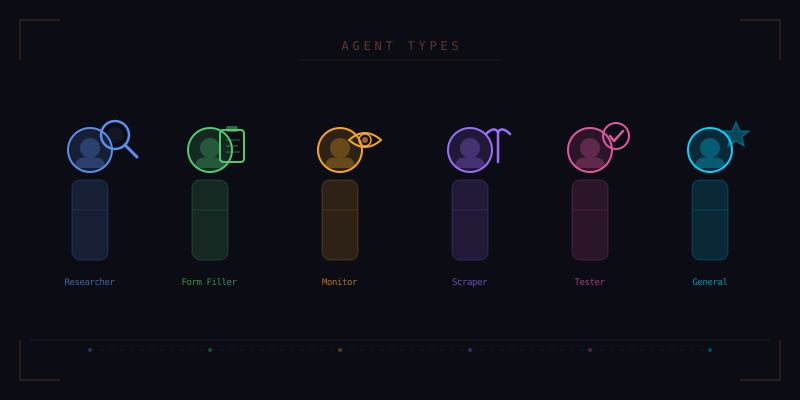
A general-purpose AI agent can do many things adequately, but few things exceptionally. When you ask one agent to fill out a form, research a topic, monitor a price, and test a website, it brings the same set of assumptions and tools to each task. The result is competent but never optimized. Tensor takes a different approach: six specialized agent types, each with its own system prompt, tool access, safety boundaries, and behavioral patterns. You choose the right agent for the job, or let Tensor choose for you.
1. General Agent
The General agent is your default assistant. It has broad capabilities, moderate caution, and access to the full range of Tensor's tools. When you open the command palette and ask a question or give an instruction, the General agent handles it unless you specify otherwise.
The General agent excels at one-off tasks: summarize this page, find a phone number, translate this paragraph, explain this error message, compare these two products. It has access to page reading, navigation, text extraction, and basic interaction tools. It does not have access to bulk data extraction, automated form submission, or long-running monitoring capabilities. These restrictions exist because the General agent is designed for interactive use, where speed and safety matter more than thoroughness.
Under the hood, the General agent's system prompt emphasizes helpfulness, brevity, and caution. It asks for confirmation before taking actions that modify page state, such as clicking buttons or submitting forms. It provides concise answers rather than exhaustive ones. Think of it as a knowledgeable colleague you can tap on the shoulder for quick help.
2. Researcher Agent
The Researcher agent is built for multi-step information gathering. When you need to compare products across five websites, compile data from multiple sources, or deep-dive into a topic, the Researcher is the right choice. It can open multiple tabs simultaneously, extract and cross-reference data, maintain a working memory of findings, and produce structured output like comparison tables or annotated bibliographies.
Key differences from the General agent:
- Extended context window — the Researcher maintains context across multiple pages and can reference information from earlier in the research session
- Source tracking — every claim is linked to its source URL, making the output verifiable
- Parallel tab access — can open and read up to eight tabs simultaneously for faster data gathering
- Structured output — produces tables, lists, and formatted documents rather than conversational text
- Follow-up capability — can identify gaps in its findings and proactively search for missing information
The Researcher's system prompt emphasizes thoroughness, accuracy, and citation. It is instructed to never make claims without source backing, to explicitly state when information is uncertain or conflicting across sources, and to present multiple viewpoints when a topic is debated.
3. Form Filler Agent
The Form Filler is a specialized agent designed for one thing: completing web forms accurately and efficiently. Job applications, insurance quotes, government filings, registration forms, surveys: if it has input fields, the Form Filler handles it.
The Form Filler has deep integration with Personal Context, Tensor's on-device data store. It knows your name, address, phone number, email, employment history, education, and any other information you have provided. When it encounters a form, it maps each field to the appropriate data from your profile and fills them in. For fields where it does not have data, it highlights them and asks you for the information.
// Form Filler field mapping
{
  "First Name": personalContext.name.first,
  "Last Name": personalContext.name.last,
  "Email": personalContext.email.primary,
  "Phone": personalContext.phone.mobile,
  "Address Line 1": personalContext.address.street,
  "City": personalContext.address.city,
  "State": personalContext.address.state,
  "ZIP": personalContext.address.zip,
  "Company": personalContext.employment.current.company,
  "Role": personalContext.employment.current.title,
  // Unknown fields highlighted for user input
  "Reference Code": { status: "unknown", prompt: "Please provide..." }
}
Critically, the Form Filler has a strict preview-before-submit policy. It fills all fields, then presents a complete review showing every value it entered. You verify and approve before anything is submitted. It also detects dark patterns in forms: pre-checked opt-in boxes, hidden fee disclosures, and misleading button labels.
4. Monitor Agent
The Monitor agent runs in the background and watches for changes. Set it to track a price, monitor a status page, watch for new job postings, check inventory availability, or observe any element on any page. When the condition you specified is met, the Monitor alerts you through a browser notification, and optionally through email or webhook.
The Monitor is fundamentally different from the other agents because it operates on a schedule rather than on-demand. You configure it with a target URL, a condition to watch for, a check interval, and an alert method. It then runs autonomously, checking the condition at each interval, until you stop it or the condition is met.
- Price monitoring — track product prices across retailers, alert when a threshold is reached
- Availability tracking — watch for out-of-stock items to come back, or for appointment slots to open
- Content changes — detect when a page updates its content, useful for competitor monitoring or news tracking
- Status monitoring — watch dashboards, status pages, or deployment pipelines for state changes
- Conditional alerts — complex conditions combining multiple signals, such as "alert me when this stock drops below $50 AND trading volume exceeds 1M"
The Monitor runs efficiently by using targeted element observation rather than full page reloads. It remembers the exact DOM location of the element it is watching and only fetches that portion of the page, minimizing bandwidth and server impact.
5. Scraper Agent
The Scraper agent extracts structured data from websites at scale. Point it at a product listing page, a directory, a table, or any repeating structure, and it will extract every item into a clean JSON or CSV format. It handles pagination automatically, following "next page" links until it reaches the end of the data.
The Scraper differs from the Researcher in its focus on structured data extraction rather than qualitative research. Where the Researcher reads and interprets content, the Scraper identifies patterns in page structure and replicates them across many items. It uses the self-healing selector system to adapt when page layouts vary between items.
// Scraper configuration
{
  startUrl: "https://example.com/products?page=1",
  itemSelector: ".product-card",
  fields: {
    name: ".product-title",
    price: ".product-price",
    rating: ".star-rating @data-value",
    image: ".product-img @src",
    url: "a.product-link @href"
  },
  pagination: {
    nextButton: "a.next-page",
    maxPages: 50
  },
  output: "csv",
  deduplication: "url"
}
The Scraper includes rate limiting by default to avoid overwhelming target servers. It respects robots.txt directives, implements polite delays between requests, and rotates its request patterns to minimize server impact. These are not just courtesy features; they prevent your IP from being blocked and ensure sustainable data collection.
6. Tester Agent
The Tester agent is designed for quality assurance. Give it a URL and a set of test criteria, and it will systematically verify that the page or application meets those criteria. It can check form validation, navigation flows, responsive layout, accessibility compliance, performance metrics, and visual consistency.
The Tester has access to tools that other agents do not: viewport resizing for responsive testing, network throttling for performance testing, accessibility tree inspection for a11y audits, and screenshot comparison for visual regression testing. Its system prompt emphasizes exhaustive coverage and precise reporting.
A typical test session might look like this: navigate to the login page, verify all form fields are present and labeled, test validation by submitting empty fields, test error messages for clarity, test with valid credentials, verify the redirect after login, check the dashboard loads within performance thresholds, verify critical elements are present, check accessibility of all interactive elements, and resize to mobile viewport to verify responsive layout.
The Tester produces a detailed report with pass/fail status for each criterion, screenshots of failures, specific DOM elements that caused issues, and suggested fixes when applicable.
Choosing the Right Agent
You can explicitly select an agent type from the command palette, but Tensor also offers automatic selection. When you describe a task, the routing system analyzes your intent and selects the most appropriate agent. Phrases like "compare prices" route to the Researcher. Phrases like "fill out this form" route to the Form Filler. Phrases like "let me know when" route to the Monitor.
The routing system is not just keyword matching. It uses a lightweight intent classifier that understands the structure of your request. If you say "find me a laptop under $1000 with at least 16GB RAM," it recognizes this as a research task with specific criteria and routes to the Researcher with the right parameters already configured.
Specialization is not limitation. Each agent type is a tuned configuration of the same underlying AI, optimized for a specific category of tasks. By matching the right agent to the right job, Tensor delivers results that feel purpose-built rather than generic.
The Right Agent for Every Job
Download Tensor and experience specialized AI agents built for the browser.
Download Tensor