The Job Application Grind Is Over
Applying for jobs in 2026 is still an exhausting, repetitive process. You find a listing, click through five pages of forms, re-enter your work history for the hundredth time, tailor your cover letter, and hit submit. Multiply that by fifty applications, and you have lost an entire week of your life to copy-paste drudgery. Tensor changes all of that with agent swarms and Personal Context, turning what used to be hours of manual work into a streamlined, semi-automated workflow.
In this tutorial, you will learn how to set up your Personal Context profile, find relevant job listings across multiple platforms, launch a coordinated agent swarm to fill out applications on LinkedIn, Indeed, and Greenhouse, and review everything before final submission. By the end, you will have a repeatable system that lets you apply to dozens of positions in minutes rather than days.
Step 1: Set Up Your Personal Context
Personal Context is Tensor's local, encrypted profile store that holds the information you typically re-enter on every application. Open the Tensor sidepanel, navigate to Settings > Personal Context, and fill in the following sections:
- Basic Information: Full name, email, phone number, location, and LinkedIn URL. These fields map to virtually every application form.
- Work History: Add each position with company name, title, start and end dates, and a brief description of responsibilities. Tensor uses this data to auto-fill work history sections and generate tailored bullet points.
- Education: Degrees, institutions, graduation dates, and relevant coursework or honors.
- Skills & Certifications: A comprehensive list of technical and soft skills, along with any certifications or licenses.
- Resume & Cover Letter Templates: Upload your base resume as a PDF and write a template cover letter with placeholder variables like
{{company_name}}and{{role_title}}. Tensor will personalize these for each application.
All of this data is stored locally on your device. It never leaves your machine unless you explicitly instruct Tensor to fill it into a form. This is a core privacy guarantee that makes Personal Context safe to use even with sensitive information like your phone number and address.
Step 2: Define Your Job Search Criteria
Before launching agents, you need to tell Tensor what kinds of roles you are looking for. Open a new chat in the sidepanel and type something like:
"Find software engineering jobs in San Francisco, remote OK, $150K+ salary, at companies with fewer than 500 employees. Focus on backend and full-stack roles. Exclude contract positions."
Tensor parses this natural-language description into structured search parameters. It understands role titles, location preferences, salary ranges, company size filters, and exclusion criteria. You can refine by adding more context: preferred tech stacks, industries to avoid, or specific companies you are interested in.
Step 3: Launch the Agent Swarm
Here is where the magic happens. Once your criteria are set, tell Tensor to search across platforms:
"Search LinkedIn, Indeed, and Greenhouse job boards for matching roles. Open up to 5 agents in parallel."
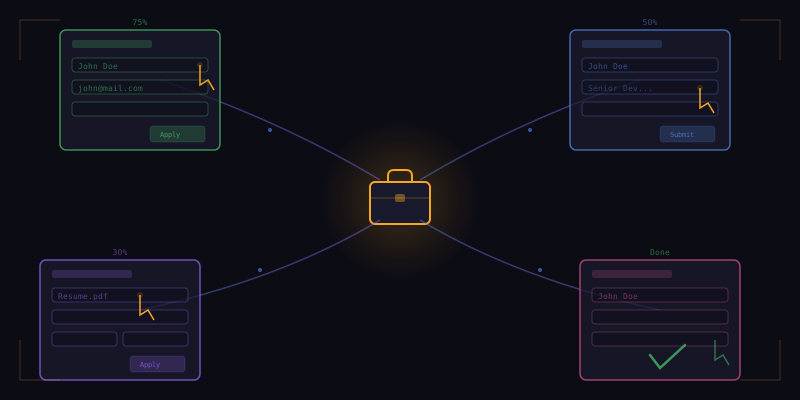
Tensor spawns multiple browser agents, each navigating a different platform simultaneously. The swarm architecture means that while one agent is scrolling through LinkedIn results, another is parsing Indeed listings, and a third is checking Greenhouse career pages for companies on your target list. Each agent:
- Navigates to the platform and enters your search criteria.
- Scrolls through results, filtering out positions that do not match your requirements.
- Collects job details: title, company, salary range, description, and application URL.
- Returns a consolidated list to the main Tensor panel for your review.
Within a couple of minutes, you will have a curated list of matching positions from across the web, organized by match score based on how well each listing aligns with your stated preferences.
Step 4: Review Listings and Select Targets
Tensor presents the collected listings in a clean summary view. Each entry shows the job title, company, location, estimated salary, and a match percentage. You can quickly scan and check the ones you want to apply to. Remove any that do not feel right, reorder by priority, or ask Tensor for more details on a specific role.
This review step is intentionally manual. Job applications carry real consequences, and Tensor is designed to keep you in control. You decide which positions deserve your application. The automation handles the tedious mechanics, not the strategic decisions.
Step 5: Auto-Fill and Customize Applications
With your targets selected, instruct Tensor to begin filling out applications:
"Apply to the selected positions. Use my Personal Context for form fields and customize each cover letter."
Tensor launches a new agent for each application. The agents navigate to the application page, detect form fields using intelligent field mapping, and populate them from your Personal Context. For each position, Tensor also:
- Generates a tailored cover letter by filling in your template variables and adjusting tone and emphasis based on the job description.
- Selects the most relevant skills and experience bullets to highlight.
- Uploads your resume if a file upload field is present.
- Handles multi-page forms by clicking through to each section and filling fields sequentially.
Greenhouse boards, which use a standardized layout, are particularly smooth. LinkedIn Easy Apply forms are handled in seconds. Indeed applications that redirect to external sites take slightly longer, but Tensor adapts to each layout dynamically.
Step 6: Final Review and Submit
Before any application is actually submitted, Tensor pauses and shows you a summary of what has been filled in. For each application, you see the completed form fields, the generated cover letter, and the resume that will be attached. This is your final checkpoint.
Review each application carefully. Edit any cover letter that needs a personal touch. Adjust responses to custom questions that Tensor may have answered generically. Once you are satisfied, approve the batch and Tensor submits them all.
After submission, Tensor logs every application with the company name, role, date applied, and a link to the listing. You can export this log as a CSV to track your pipeline in a spreadsheet or paste it into your job search tracker of choice.
Tips for Best Results
- Keep Personal Context updated. The richer your profile, the more accurately Tensor fills forms. Add new projects, skills, and certifications as you acquire them.
- Write a flexible cover letter template. Use variables generously and keep the core narrative adaptable. Tensor works best when it has room to customize.
- Start with a small batch. Run your first swarm with three to five applications to verify the output quality before scaling up.
- Review every application. Automation handles the mechanics, but you are still the decision-maker. A two-minute review per application is worth it.
- Use the application log. Track responses, follow up on promising leads, and refine your criteria based on which roles generate callbacks.
What You Can Achieve
With Tensor's agent swarm, a process that used to consume entire weekends now fits into a lunch break. Users report applying to thirty or more positions in under an hour, with each application individually tailored and reviewed. The combination of Personal Context for data entry and agent swarms for parallel execution makes Tensor the most efficient job application tool available today.
The job market is competitive. Your time should be spent preparing for interviews and building skills, not re-entering your address for the fiftieth time. Let Tensor handle the repetition so you can focus on what actually matters.