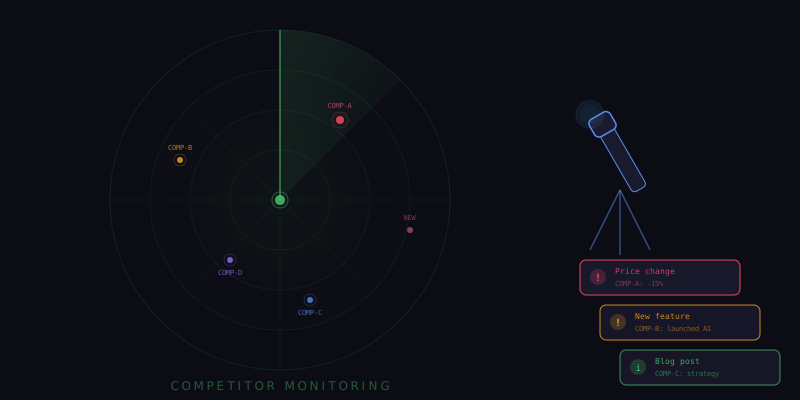
Competitive Intelligence Should Not Be a Full-Time Job
Keeping tabs on what your competitors are doing is essential for any business, but the manual process is brutal. You have to regularly visit their websites to check for pricing changes, scan their blog for new content, monitor their product pages for feature updates, and watch their social media for announcements. Do this for three or four competitors and you are spending hours every week on surveillance that produces no direct output until something actually changes.
Tensor's background agents eliminate this overhead entirely. You set up automated monitors that watch your competitors' web presence around the clock, detect changes the moment they happen, and deliver concise alerts so you can respond quickly. No more manual checking. No more missed updates. No more competitive surprises.
Setting Up Competitor Pricing Monitors
Pricing changes are among the most strategically important competitive signals. When a competitor drops prices, launches a new tier, or restructures their packaging, you need to know immediately so you can evaluate your own positioning. Here is how to set up pricing monitors:
- Navigate to your competitor's pricing page.
- Open the Tensor sidepanel and type: "Monitor this pricing page for any changes. Check every 4 hours."
- Tensor creates a persistent agent that captures the current state of the page and compares it against future versions.
- When any pricing element changes, whether it is a plan price, feature inclusion, or even the wording of a plan description, Tensor sends you an alert with a diff showing exactly what changed.
The diff view is particularly powerful. Instead of telling you that something changed and leaving you to figure out what, Tensor shows a side-by-side comparison highlighting the specific changes. You can see at a glance that the competitor moved their API access from the Pro plan to the Enterprise plan, or that they added a new "Startup" tier at a lower price point.
Tracking Feature and Product Updates
Beyond pricing, product changes matter. When a competitor ships a feature you do not have, or deprecates one that your shared customers rely on, the competitive landscape shifts. Set up feature tracking monitors for each competitor's product pages, changelog, and release notes:
- Product pages: Monitor the main product or features page for additions, removals, or rewordings that signal strategic shifts.
- Changelog or release notes: Track the page where they announce updates. Tensor extracts new entries and summarizes what shipped.
- Documentation: Monitor their docs for new sections or significant rewrites that hint at upcoming features.
- Integration pages: Watch for new integration announcements that might indicate partnerships or platform expansion.
Each monitor runs independently and reports changes to a unified competitive intelligence dashboard within Tensor. You can review all changes across all competitors in one place, rather than switching between dozens of tabs and bookmarks.
Blog and Content Monitoring
Competitor blog posts reveal strategy, positioning, and sometimes technical details about their architecture. A new case study might signal they are targeting a vertical you are also pursuing. A thought leadership piece might indicate they are positioning around a trend you have not yet addressed. Set up blog monitors for each competitor:
"Monitor [competitor] blog for new posts. When a new post appears, summarize it in 3-4 sentences and flag if it mentions [your product name], [your market segment], or [relevant keywords]."
The keyword flagging ensures that the most strategically relevant content gets prioritized in your alerts. A generic blog post about remote work culture might not need your immediate attention, but a post comparing their product directly to yours certainly does.
Building Automated Comparison Reports
Individual change alerts are valuable for real-time awareness, but periodic comparison reports provide the strategic overview that informs longer-term decisions. You can configure Tensor to generate weekly or monthly competitive comparison reports that synthesize all detected changes into a structured analysis.
A typical weekly report includes:
- Pricing changes: Any tier, feature, or price modifications across all monitored competitors.
- Product updates: New features shipped, features deprecated, and significant UX changes observed.
- Content activity: New blog posts, case studies, and press releases published during the reporting period.
- Social signals: Notable social media posts, engagement patterns, and any viral content.
- Trend analysis: Patterns emerging across multiple competitors that might indicate industry-wide shifts.
The report is generated automatically by a scheduled agent that reads from the accumulated change logs and produces a cohesive narrative. You can forward this directly to your leadership team, product managers, or marketing department as a ready-to-consume competitive briefing.
Alert Configuration and Noise Reduction
Not every change warrants an interruption. A competitor fixing a typo on their pricing page is not the same as them launching a new enterprise tier. Tensor lets you configure alert sensitivity to filter out noise:
- High-priority alerts: Price changes, new feature announcements, new integrations. These trigger immediate desktop notifications.
- Medium-priority alerts: Blog posts, documentation updates, testimonial changes. These appear in your Tensor notification panel but do not push notifications.
- Low-priority alerts: Minor text changes, styling updates, footer modifications. These are logged silently for the weekly report but do not generate any notification.
You can also set change thresholds. For pricing monitors, you might only want alerts when a price changes by more than five percent. For content monitors, you might only care about pages that change by more than a certain number of words, filtering out minor copy edits.
Privacy and Ethics
All competitive monitoring performed by Tensor accesses only publicly available information. It visits the same web pages that any customer or prospect could view. It does not attempt to access protected areas, log into competitor platforms, or scrape data behind authentication walls. This is the same information you would gather by manually browsing competitor websites; Tensor simply automates the tedium and adds structure to the process.
Turning Intelligence Into Action
The goal of competitive monitoring is not to accumulate data; it is to make faster, better-informed decisions. When you know within hours that a competitor has dropped their price, you can evaluate your own pricing before customers start asking questions. When you see them launch a feature you have been considering, you can accelerate your own development timeline. When you notice them targeting a new market segment, you can decide whether to compete there or double down elsewhere. Tensor gives you the awareness. What you do with it is up to you.