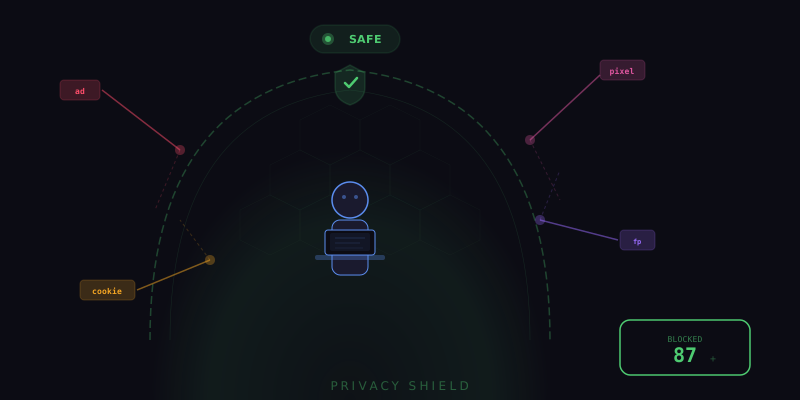
You Are Being Watched on Every Page You Visit
Every time you load a webpage, an average of 15 to 30 third-party trackers activate in the background. These trackers come from advertising networks, analytics platforms, social media widgets, data brokers, and retargeting services. They collect your browsing history, device information, location data, shopping behavior, and interaction patterns, then sell this profile to advertisers who use it to follow you across the internet with eerily specific ads.
Most people are vaguely aware this happens but assume they cannot do much about it without sacrificing website functionality. Tensor's Privacy Shield proves that assumption wrong. It blocks over 80 categories of trackers while keeping websites fully functional, giving you comprehensive privacy protection without any browsing compromises.
Enabling Privacy Shield
Privacy Shield is built into Tensor and can be activated in seconds. Open the Tensor sidepanel, go to Settings > Privacy Shield, and toggle the master switch to on. That single toggle immediately activates the default protection profile, which blocks the most common and invasive tracker categories while preserving website functionality.
The default profile is designed for most users and blocks advertising trackers, cross-site analytics, social media tracking pixels, retargeting scripts, and data broker collection endpoints. It leaves first-party analytics and essential functional cookies untouched so that websites continue to work properly, remembering your preferences and keeping you logged in.
Stealth Mode
For maximum privacy, enable Stealth Mode from the Privacy Shield settings. Stealth Mode goes beyond simple tracker blocking by actively preventing fingerprinting techniques that can identify you even without cookies. Here is what Stealth Mode protects against:
- Canvas fingerprinting: Websites can draw invisible graphics on an HTML canvas element and read the pixel data to generate a unique identifier based on your GPU, drivers, and rendering engine. Stealth Mode returns slightly randomized canvas data that changes with each session, preventing consistent identification.
- WebGL fingerprinting: Similar to canvas fingerprinting but uses 3D rendering capabilities to identify your specific GPU model and driver version. Stealth Mode normalizes WebGL renderer and vendor strings to generic values.
- Audio fingerprinting: The AudioContext API can be used to generate a unique identifier based on how your hardware processes audio signals. Stealth Mode adds imperceptible noise to audio processing results.
- Font enumeration: Websites can detect which fonts are installed on your system, creating a surprisingly unique fingerprint. Stealth Mode limits the reported font list to a common baseline set.
- Screen resolution fingerprinting: Your exact screen dimensions and pixel ratio are used for identification. Stealth Mode rounds these values to common breakpoints.
With Stealth Mode active, fingerprinting scripts see a generic browser profile that matches millions of other users rather than your unique hardware and software combination. You become statistically invisible.
Cookie Auto-Decline
One of Privacy Shield's most satisfying features is automatic cookie consent handling. You know those banners that appear on every website asking you to accept cookies? Privacy Shield detects cookie consent dialogs and automatically clicks the most privacy-preserving option: "Reject All," "Essential Only," or whichever button declines non-essential cookies.
This works across the major consent management platforms including OneTrust, Cookiebot, TrustArc, and custom implementations. Tensor recognizes the dialog patterns, identifies the decline button, and handles it before the banner even finishes rendering in many cases. You never see another cookie popup again, and your privacy preferences are consistently applied across every website.
For sites where you genuinely want cookies enabled, such as a streaming service or a tool you use daily, you can add them to a whitelist. Whitelisted sites bypass the auto-decline behavior and show the consent dialog normally so you can make a manual choice.
Per-Site Privacy Controls
Privacy needs vary by context. You might want maximum protection on news sites and social media but relaxed settings on your company's internal tools or trusted e-commerce sites. Privacy Shield supports per-site configuration through its site rules system:
- Strict: Maximum blocking, stealth mode active, all non-essential cookies declined. Best for browsing unknown or untrusted sites.
- Balanced: Blocks advertising and cross-site trackers but allows first-party analytics and functional cookies. The default for most sites.
- Relaxed: Minimal blocking, only the most invasive trackers are stopped. Use for trusted sites where you want full functionality and do not mind basic analytics.
- Disabled: No Privacy Shield protections on this specific site. Use only for sites that break with any level of blocking, or internal tools where tracking is not a concern.
You can set rules by exact domain, by domain pattern (all subdomains of example.com), or by category (all shopping sites, all news sites). The rules cascade logically: a specific domain rule overrides a pattern rule, which overrides the global default.
Tracker Dashboard
Privacy Shield includes a real-time dashboard that shows exactly what it is blocking on each page. Click the shield icon in the Tensor toolbar to see a breakdown of blocked requests by category. You can see which tracking companies attempted to load, how many requests were blocked, and the estimated data that would have been collected without protection.
The dashboard also shows cumulative statistics: total trackers blocked this session, this week, and all time. Many users are genuinely surprised to see that they block hundreds of trackers per day during normal browsing. This visibility transforms privacy from an abstract concept into a tangible, measurable benefit.
How Privacy Shield Differs from Ad Blockers
Traditional ad blockers use filter lists to block requests to known advertising domains. This works well for ads but misses many trackers that do not serve visible advertisements. Privacy Shield takes a more comprehensive approach:
- Behavioral detection: In addition to domain-based blocking, Privacy Shield analyzes script behavior to detect tracker-like activity even from unknown domains.
- Fingerprint prevention: Ad blockers do not address fingerprinting at all. Privacy Shield actively prevents the canvas, WebGL, audio, and font fingerprinting techniques described above.
- Cookie management: Ad blockers block tracking scripts but do not handle cookie consent dialogs. Privacy Shield does both.
- First-party tracking: Some sites implement tracking using their own domain (first-party tracking) to bypass ad blockers. Privacy Shield detects and blocks these patterns too when in Strict mode.
Performance Impact
A common concern about privacy tools is that they slow down browsing. Privacy Shield actually makes most pages load faster. By blocking 15 to 30 third-party requests per page, it reduces the total amount of data transferred and the number of network connections needed. Users typically see a 20 to 40 percent reduction in page load time with Privacy Shield active, because advertising and tracking scripts are often the heaviest resources on a page.
Take Back Your Privacy
Online privacy is not about having something to hide. It is about maintaining control over your personal information and deciding who gets access to your browsing habits, interests, and behavior. Privacy Shield gives you that control with a single toggle, backed by sophisticated fingerprint protection, intelligent cookie management, and granular per-site customization. In a web built to surveil, Tensor lets you browse in peace.