Local AI Limitations Explained for Power Users

Local AI limitations are defined as the hardware, context, security, and usability constraints that prevent locally deployed language models from matching the performance and convenience of cloud-based AI services. If you are running models through tools like LM Studio, Ollama, or RunLocalAI, you are already encountering these trade-offs firsthand. The core insight is this: local AI does not fail because the models are weak. It fails because the infrastructure surrounding them, from VRAM ceilings to token budget math to audit logging, is harder to manage than most documentation admits. Understanding local AI constraints is the first step toward working around them effectively.
Local AI limitations explained: where the real bottlenecks are
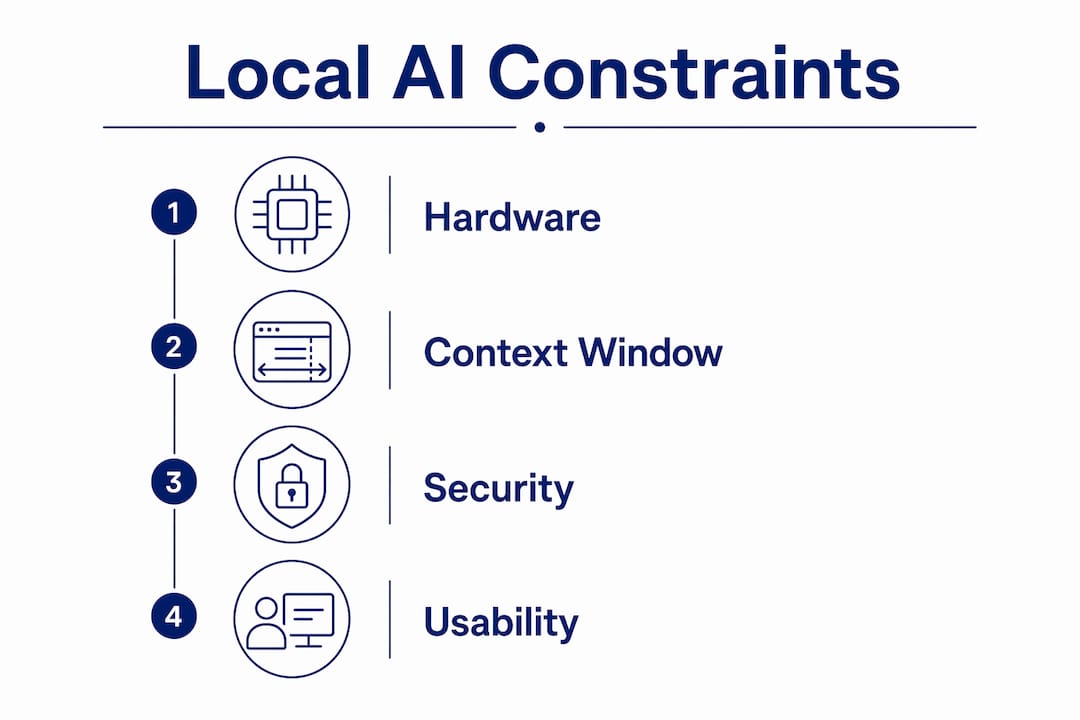
The phrase “local AI limitations” covers a cluster of distinct technical problems that compound each other. Hardware constrains what models you can run. Context window math constrains how much those models can process at once. Security gaps constrain what you can safely deploy in production. And usability friction constrains who can operate these systems without constant troubleshooting. None of these problems exist in isolation. A VRAM shortage forces you to shrink your context window, which degrades output quality, which makes the system feel unreliable, which erodes trust in the whole setup.
The industry term for this class of problem is on-device inference constraints, though “local AI limitations” captures the practical experience more accurately for most practitioners. Tools like Ollama and LM Studio have made local deployment accessible, but accessibility is not the same as simplicity. The gap between spinning up a model and running it reliably under real workloads is where most users hit the wall.
How hardware constraints shape local AI performance
VRAM is the single most common bottleneck in local AI deployments. When a model’s weights plus its KV cache exceed available GPU memory, you get one of two outcomes: an out-of-memory crash or an automatic fallback to CPU inference. RunLocalAI groups common failures into four categories: VRAM and OOM errors, GPU detection failures, slow CPU inference, and unexplained crashes. Each of these maps directly to a hardware or driver gap.

The KV cache is the part of the computation that stores attention states for every token in the context window. It grows linearly with context length. This means that reducing your context window is often more effective at freeing VRAM than switching to a smaller quantization level. Effective debugging of memory failures in local AI involves tuning context length and KV cache pressure more than solely reducing model size.
Common hardware failure modes you will encounter include:
- CUDA OOM errors when model weights plus KV cache exceed GPU VRAM
- ROCm detection failures on AMD hardware due to driver version mismatches
- CPU fallback triggering 10x to 20x slower inference than GPU-accelerated runs
- Container misconfiguration blocking GPU passthrough in Docker or Podman setups
- Apple Silicon memory pressure when unified memory is shared between the OS, model weights, and active apps
Pro Tip: Before selecting a model, calculate your VRAM budget as: total VRAM minus 2GB for OS and driver overhead, minus KV cache allocation at your target context length. What remains is your actual headroom for model weights. Running this math before loading a model saves you from mid-session crashes.
Driver compatibility is a separate problem from VRAM. ROCm support on Linux is inconsistent across AMD GPU generations, and CUDA versions must match both the driver and the framework version. Apple Silicon avoids the driver fragmentation problem but introduces its own constraint: unified memory is shared between the GPU and CPU, so running other applications while inferring locally competes for the same pool.
What is the context window limit in local AI?
The context window is the total number of tokens a model can process in a single pass, covering both input and output. The critical misunderstanding is that the advertised number is not the usable number. A 128K token limit results in roughly 100K usable tokens once you subtract system prompt overhead, chat history, and the token reservation the framework holds for the response.
Silent truncation is the most damaging consequence of overflowing a context window. Most frameworks do not throw an error. They quietly drop the oldest messages in the conversation, which means your model loses context it needed to answer correctly. Users often overestimate their usable context window and struggle with this silent message truncation, especially in document-heavy or long-running conversational workflows.
The table below shows how nominal context sizes translate to realistic usable budgets:
| Model / Config | Nominal context | Estimated usable tokens | Notes |
|---|---|---|---|
| Llama 3 8B (4-bit) | 8,192 | ~6,500 | System prompt + history overhead |
| Mistral 7B (Q4) | 32,768 | ~28,000 | Moderate overhead at default settings |
| Llama 3 70B (Q4) | 128,000 | ~100,000 | Large overhead; VRAM pressure forces reduction |
| Local-deep-research | 30,208 | 20,480 | Explicitly reduced to fit VRAM and leave synthesis headroom |
The local-deep-research example is instructive. The maintainers reduced the default context window from 30,208 to 20,480 tokens specifically to reduce VRAM pressure while preserving room for synthesis prompts. This is not a workaround. It is a deliberate engineering decision that reflects the real trade-off between context size and hardware fit.
Pro Tip: Instrument your token counts before you hit the limit, not after. Libraries like tiktoken for OpenAI-compatible models or the tokenizer built into Hugging Face Transformers let you measure prompt size programmatically. Set a soft ceiling at 80% of your usable budget to leave headroom for response tokens.
What security risks come with local AI deployment?
Local AI deployment shifts the security burden from the cloud provider to you. The privacy benefit is real: your data does not leave the device. But the privacy benefit of local AI depends heavily on the operator’s controls, including audit logging and data retention policies that cloud providers handle by default and that you must now build yourself.
Prompt injection is the top threat in local LLM applications. It works because model instructions and data occupy the same text stream, so a malicious string embedded in a document, a web page, or a retrieved chunk can override your system prompt. Agent systems and RAG pipelines are especially vulnerable because they ingest third-party content by design.
Effective defense requires layers, not a single control:
- Input filtering to detect and strip known injection patterns before they reach the model
- Instruction hierarchy enforcement to separate system-level instructions from user-supplied data
- Output filtering to catch cases where the model has been manipulated into producing harmful or unauthorized content
- Sandboxed tool execution so that even a successful injection cannot trigger destructive actions
“Prompt injection exploits the fundamental lack of distinction between code and data in LLMs, making defense-in-depth the only viable mitigation strategy.” — LocalAIMaster, 2026
Beyond injection, compliance frameworks add operational requirements that most local AI deployments are not built to meet. Audit logging under SOC 2, HIPAA, and the EU AI Act demands completeness, integrity, attribution, and defined retention periods. That means hash-chaining log entries to detect tampering, redacting sensitive data before writing to disk, and enforcing access controls on the log store itself. For a detailed breakdown of how to structure these controls, the local AI audit trail guidance from Pilot Protocol covers retention policy design and tamper-evident logging in practical terms. Robust local AI privacy requires sanitizing logs through redaction, configurable retention, and access controls to prevent sensitive data leakage even when inference runs on-device.
Why does local AI feel harder to use than cloud AI?
Local AI usability suffers not because the models are worse but because the setup and maintenance work is orders of magnitude higher. Local AI usability often suffers from greater friction caused by hardware detection, complex versioning, and slower inference compared to cloud AI. With a cloud assistant, you open a browser tab. With a local deployment, you choose a model, a quantization level, a context size, a backend, and a hardware configuration, and then you debug the combination that does not work.
The friction points stack up quickly:
- Model selection requires matching parameter count to available VRAM, which changes with every new release
- Quantization choice (Q4, Q5, Q8, GGUF, AWQ) affects both quality and memory footprint in ways that are not always documented clearly
- Backend compatibility between CUDA, ROCm, Metal, and CPU-only inference changes with framework updates
- Driver versioning means a system update can break a working setup without warning
- Inference latency on consumer hardware is high enough to make real-time voice interaction feel sluggish without careful optimization
Pro Tip: Start with the smallest model that meets your quality bar, not the largest model your hardware can technically load. A 7B model running at full GPU speed with a healthy context window will outperform a 70B model thrashing between GPU and CPU in nearly every practical workflow.
For teams building on top of local models, the adversarial prompt risks in self-hosted LLM and agent architectures add another layer of complexity to an already demanding setup process. Usability and security are not separate concerns at the local level. They compound each other.
Key takeaways
Local AI performance, privacy, and usability all depend on managing hardware, token budgets, and security controls that cloud providers handle invisibly.
| Point | Details |
|---|---|
| VRAM is the primary bottleneck | Calculate your real VRAM budget before loading any model to avoid OOM crashes and CPU fallback. |
| Usable context is smaller than advertised | Subtract system prompt, chat history, and response reservation from the nominal limit to find your real budget. |
| Prompt injection is the top security risk | Defense requires input filtering, instruction hierarchy, output filtering, and sandboxed tool execution working together. |
| Compliance logging is your responsibility | SOC 2, HIPAA, and EU AI Act require tamper-evident audit trails that you must build and maintain yourself. |
| Friction, not model quality, limits usability | Choosing the right model size, quantization, and backend combination matters more than chasing the largest parameter count. |
What practitioners consistently get wrong about local AI
The most common mistake I see is treating “local” as a synonym for “private.” Running inference on your own hardware does remove the cloud provider from the data path. But it does not remove the risk. If your logs are unredacted, your prompt injection defenses are absent, and your audit trail is nonexistent, you have traded one set of risks for a harder-to-manage set of your own.
The second thing practitioners miss is the context window math. I have watched teams spend days debugging degraded model output before realizing their effective context was half what they assumed. The model was not broken. The token budget was silently exhausted on the third message of every session.
Hardware selection deserves more upfront thought than most teams give it. The difference between a 24GB VRAM card and a 16GB card is not just 8GB. It is the difference between running a 34B model comfortably and spending every session fighting OOM errors. Apple Silicon is genuinely compelling for local AI on macOS because unified memory scales well and Metal inference is stable, but you still need to account for memory pressure from the OS and other applications.
The practitioners who get local AI right treat it like infrastructure, not a demo. They instrument their token counts, they build layered security from day one, and they size their hardware to their actual workload rather than their aspirational one.
— steve
How Mingllm helps you work past local AI constraints

Mingllm is built specifically for the problems this article describes. The platform runs entirely on your macOS device, keeping all inference, memory, and reasoning local while handling the infrastructure complexity that typically derails local AI deployments. Mingllm’s architecture includes detailed action logs and proof traces that address the audit trail requirements covered above, and its voice agent and browser agent are designed to work within the real hardware constraints of Apple Silicon rather than against them. If you are ready to move from debugging local AI setups to actually using one, explore Mingllm to see how the platform handles performance, security, and usability in a single integrated system.
FAQ
What are the main limitations of local AI?
Local AI limitations fall into four categories: hardware constraints (VRAM and CPU fallback), context window restrictions (usable tokens are fewer than advertised), security vulnerabilities (especially prompt injection), and usability friction from complex setup and maintenance requirements.
Why is my local AI model running slowly?
Slow inference almost always means the model has fallen back to CPU execution because VRAM is exhausted. Check your VRAM headroom, reduce your context window size, or switch to a lower quantization level to bring the model back onto the GPU.
How do I know if my context window is being truncated?
Most frameworks truncate silently without throwing an error. Instrument your token counts using a library like tiktoken or the Hugging Face tokenizer before sending prompts, and set a soft ceiling at 80% of your usable budget to preserve response headroom.
Is local AI actually more private than cloud AI?
Local AI keeps data off external servers, but the privacy benefit depends on your controls. Without proper audit logging, log redaction, and access controls, sensitive data can still leak through unprotected log files stored on the same device.
What is prompt injection and why does it matter for local AI?
Prompt injection is an attack where malicious text in a document or retrieved chunk overrides your system instructions. It is particularly dangerous in local AI agent and RAG setups because model instructions and data share the same text stream, making it impossible for the model to distinguish between the two without external filtering.